# Articles

> Components for creating various types of articles, including layouts with images and cards.

Web: https://react.email/components/articles

Paste any snippet into an email built with React Email. The snippets use the primitives from `@react-email/components`.

## Article with image

Source: https://github.com/resend/react-email/tree/canary/apps/web/components/article-with-image

### Tailwind

```tsx
<Section className="my-[16px]">
  <Img
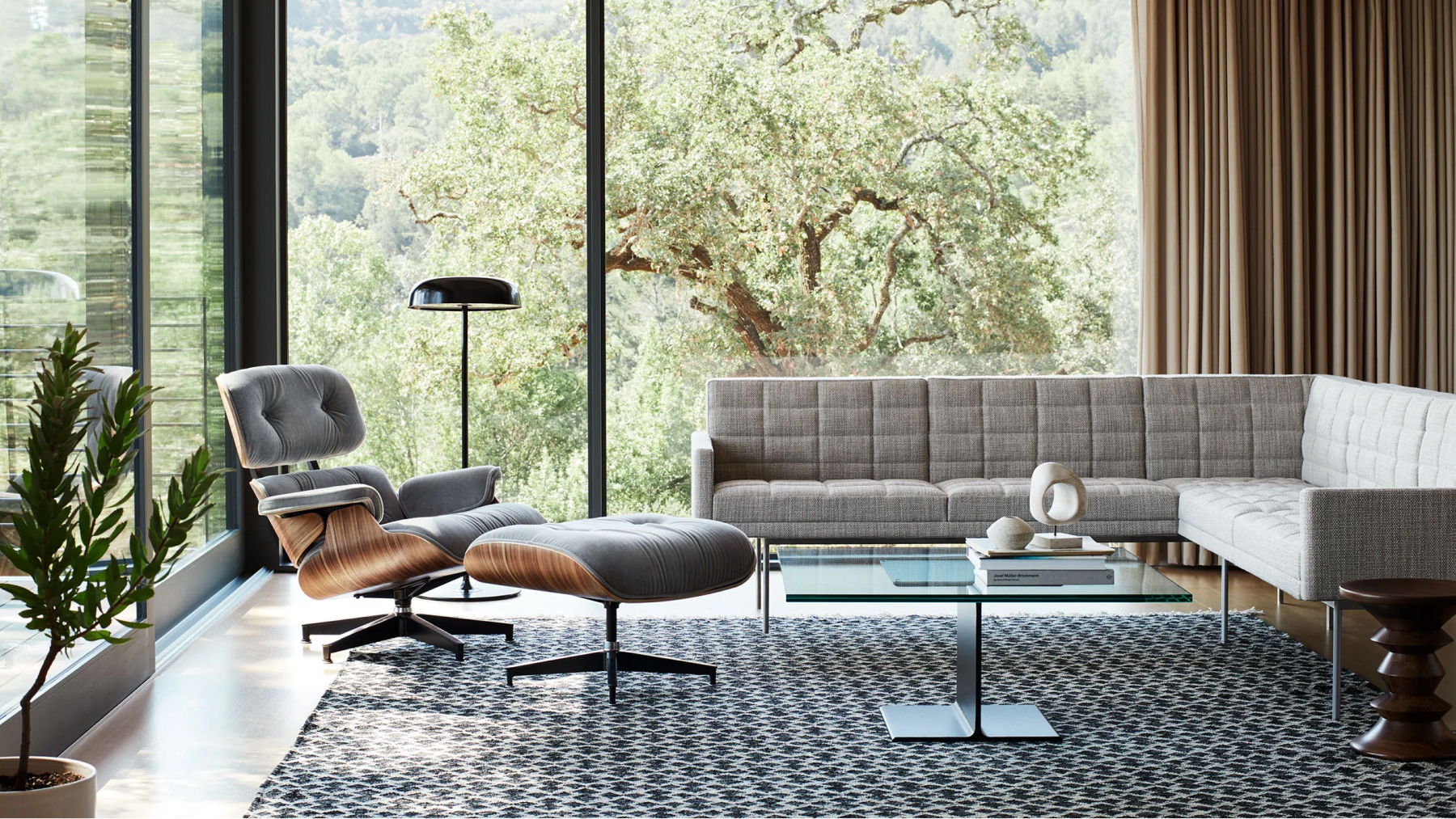
    alt="Herman Miller Chair"
    className="w-full rounded-[12px] object-cover"
    height="320"
    src="/static/herman-miller-chair.jpg"
  />
  <Section className="mt-[32px] text-center">
    <Text className="my-[16px] font-semibold text-[18px] text-indigo-600 leading-[28px]">
      Our new article
    </Text>
    <Heading
      as="h1"
      className="m-0 mt-[8px] font-semibold text-[36px] text-gray-900 leading-[36px]"
    >
      Designing with Furniture
    </Heading>
    <Text className="text-[16px] text-gray-500 leading-[24px]">
      Unleash your inner designer as we explore how furniture plays a vital
      role in creating stunning interiors, offering insights into choosing the
      right pieces, arranging them harmoniously, and infusing your space with
      personality.
    </Text>
    <Button
      className="mt-[16px] rounded-[8px] bg-indigo-600 px-[40px] py-[12px] font-semibold text-white"
      href="https://react.email"
    >
      Read more
    </Button>
  </Section>
</Section>
```

### Inline styles

```tsx
<Section style={{ marginTop: 16, marginBottom: 16 }}>
  <Img
    alt="Herman Miller Chair"
    height="320"
    src="/static/herman-miller-chair.jpg"
    style={{
      width: '100%',
      borderRadius: 12,
      objectFit: 'cover',
    }}
  />
  <Section
    style={{
      marginTop: 32,
      textAlign: 'center',
    }}
  >
    <Text
      style={{
        marginTop: 16,
        marginBottom: 16,
        fontSize: 18,
        lineHeight: '28px',
        fontWeight: 600,
        color: 'rgb(79,70,229)',
      }}
    >
      Our new article
    </Text>
    <Heading
      as="h1"
      style={{
        margin: '0px',
        marginTop: 8,
        fontSize: 36,
        lineHeight: '36px',
        fontWeight: 600,
        color: 'rgb(17,24,39)',
      }}
    >
      Designing with Furniture
    </Heading>
    <Text
      style={{ fontSize: 16, lineHeight: '24px', color: 'rgb(107,114,128)' }}
    >
      Unleash your inner designer as we explore how furniture plays a vital
      role in creating stunning interiors, offering insights into choosing the
      right pieces, arranging them harmoniously, and infusing your space with
      personality.
    </Text>
    <Button
      href="https://react.email"
      style={{
        marginTop: 16,
        borderRadius: 8,
        backgroundColor: 'rgb(79,70,229)',
        paddingLeft: 40,
        paddingRight: 40,
        paddingTop: 12,
        paddingBottom: 12,
        fontWeight: 600,
        color: 'rgb(255,255,255)',
      }}
    >
      Read more
    </Button>
  </Section>
</Section>
```

## Article with image on right

Source: https://github.com/resend/react-email/tree/canary/apps/web/components/article-with-image-on-right

### Tailwind

```tsx
<Section className="my-[16px] text-center">
  <Section className="inline-block w-full max-w-[250px] text-left align-top">
    <Text className="m-0 font-semibold text-[16px] text-indigo-600 leading-[24px]">
      What's new
    </Text>
    <Text className="m-0 mt-[8px] font-semibold text-[20px] text-gray-900 leading-[28px]">
      Versatile Comfort
    </Text>
    <Text className="mt-[8px] text-[16px] text-gray-500 leading-[24px]">
      Experience ultimate comfort and versatility with our furniture
      collection, designed to adapt to your ever-changing needs.
    </Text>
    <Link className="text-indigo-600 underline" href="https://react.email">
      Read more
    </Link>
  </Section>
  <Section className="my-[8px] inline-block w-full max-w-[220px] align-top">
    <Img
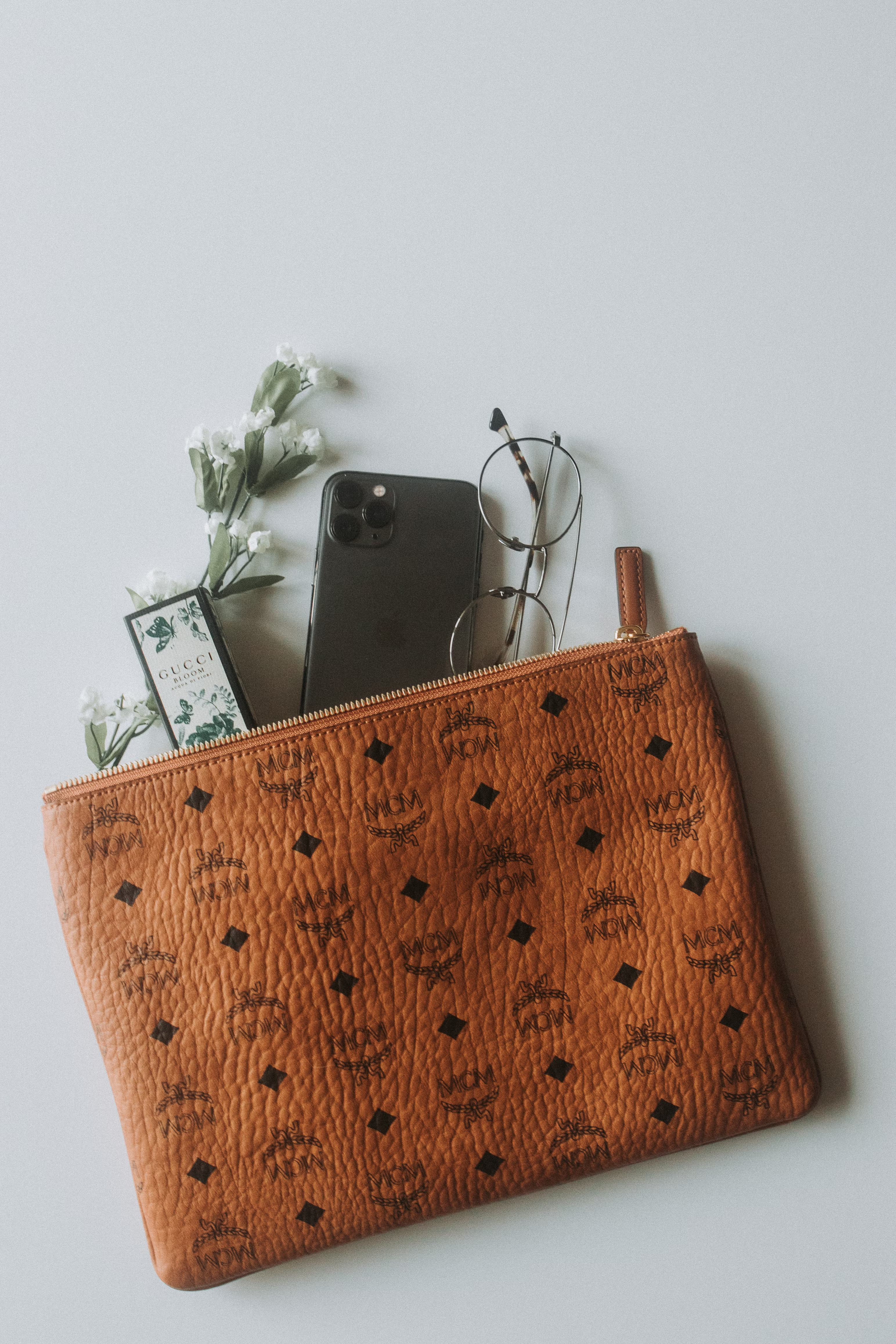
      alt="An aesthetic picture taken of an Iphone, flowers, glasses and a card that reads 'Gucci, bloom' coming out of a leathered bag with a ziper"
      className="rounded-[8px] object-cover"
      height={220}
      src="/static/versatile-comfort.jpg"
      width={220}
    />
  </Section>
</Section>
```

### Inline styles

```tsx
<Section
  style={{ marginTop: '16px', textAlign: 'center', marginBottom: '16px' }}
>
  <Section
    style={{
      display: 'inline-block',
      textAlign: 'left',
      width: '100%',
      maxWidth: 250,
      verticalAlign: 'top',
    }}
  >
    <Text
      style={{
        margin: '0px',
        fontSize: 16,
        lineHeight: '24px',
        fontWeight: 600,
        color: 'rgb(79,70,229)',
      }}
    >
      What's new
    </Text>
    <Text
      style={{
        margin: '0px',
        marginTop: '8px',
        fontSize: 20,
        lineHeight: '28px',
        fontWeight: 600,
        color: 'rgb(17,24,39)',
      }}
    >
      Versatile Comfort
    </Text>
    <Text
      style={{
        marginTop: 8,
        fontSize: 16,
        lineHeight: '24px',
        color: 'rgb(107,114,128)',
      }}
    >
      Experience ultimate comfort and versatility with our furniture
      collection, designed to adapt to your ever-changing needs.
    </Text>
    <Link
      href="https://react.email"
      style={{ color: 'rgb(79,70,229)', textDecorationLine: 'underline' }}
    >
      Read more
    </Link>
  </Section>
  <Section
    style={{
      display: 'inline-block',
      marginTop: 8,
      marginBottom: 8,
      width: '100%',
      maxWidth: 220,
      verticalAlign: 'top',
    }}
  >
    <Img
      alt="An aesthetic picture taken of an Iphone, flowers, glasses and a card that reads 'Gucci, bloom' coming out of a leathered bag with a ziper"
      height={220}
      src="/static/versatile-comfort.jpg"
      style={{
        borderRadius: 8,
        objectFit: 'cover',
      }}
      width={220}
    />
  </Section>
</Section>
```

## Article with image as background

Source: https://github.com/resend/react-email/tree/canary/apps/web/components/article-with-image-as-background

### Tailwind

```tsx
<table
  align="center"
  border={0}
  cellPadding="0"
  cellSpacing="0"
  className="my-[16px] h-[424px] rounded-[12px] bg-blue-600"
  role="presentation"
  style={{
    // This url must be in quotes for Yahoo
    backgroundImage: "url('/static/my-image.png')",
    backgroundSize: '100% 100%',
  }}
  width="100%"
>
  <tbody>
    <tr>
      <td align="center" className="p-[40px] text-center">
        <Text className="m-0 font-semibold text-gray-200">New article</Text>
        <Heading as="h1" className="m-0 mt-[4px] font-bold text-white">
          Artful Accents
        </Heading>
        <Text className="m-0 mt-[8px] text-[16px] text-white leading-[24px]">
          Uncover the power of accent furniture in transforming your space
          with subtle touches of style, personality, and functionality, as we
          explore the art of curating captivating accents.
        </Text>
        <Button
          className="mt-[24px] rounded-[8px] border border-gray-200 border-solid bg-white px-[40px] py-[12px] font-semibold text-gray-900"
          href="https://react.email"
        >
          Read more
        </Button>
      </td>
    </tr>
  </tbody>
</table>
```

### Inline styles

```tsx
<table
  align="center"
  border={0}
  cellPadding="0"
  cellSpacing="0"
  role="presentation"
  style={{
    height: 424,
    marginTop: 16,
    marginBottom: 16,
    borderRadius: 12,
    backgroundColor: 'rgb(37,99,235)',
    // This url must be in quotes for Yahoo
    backgroundImage: "url('/static/my-image.png')",
    backgroundSize: '100% 100%',
  }}
  width="100%"
>
  <tbody>
    <tr>
      <td align="center" style={{ padding: 40, textAlign: 'center' }}>
        <Text
          style={{
            margin: '0px',
            fontWeight: 600,
            color: 'rgb(229,231,235)',
          }}
        >
          New article
        </Text>
        <Heading
          as="h1"
          style={{
            margin: '0px',
            marginTop: 4,
            fontWeight: 700,
            color: 'rgb(255,255,255)',
          }}
        >
          Artful Accents
        </Heading>
        <Text
          style={{
            margin: '0px',
            marginTop: 8,
            fontSize: 16,
            lineHeight: '24px',
            color: 'rgb(255,255,255)',
          }}
        >
          Uncover the power of accent furniture in transforming your space
          with subtle touches of style, personality, and functionality, as we
          explore the art of curating captivating accents.
        </Text>
        <Button
          href="https://react.email"
          style={{
            marginTop: 24,
            borderRadius: 8,
            borderWidth: 1,
            borderStyle: 'solid',
            borderColor: 'rgb(229,231,235)',
            backgroundColor: 'rgb(255,255,255)',
            paddingLeft: 40,
            paddingRight: 40,
            paddingTop: 12,
            paddingBottom: 12,
            fontWeight: 600,
            color: 'rgb(17,24,39)',
          }}
        >
          Read more
        </Button>
      </td>
    </tr>
  </tbody>
</table>
```

## Article with two cards

Source: https://github.com/resend/react-email/tree/canary/apps/web/components/article-with-two-cards

### Tailwind

```tsx
<Section className="my-[16px]">
  <Row>
    <Text className="m-0 font-semibold text-[20px] text-gray-900 leading-[28px]">
      Elevate Outdoor Living
    </Text>
    <Text className="mt-[8px] text-[16px] text-gray-500 leading-[24px]">
      Take your outdoor space to new heights with our premium outdoor
      furniture, designed to elevate your alfresco experience.
    </Text>
  </Row>
  <Row className="mt-[16px]">
    <Column
      className="box-border w-[50%] pr-[8px] align-baseline"
      colSpan={1}
    >
      <Img
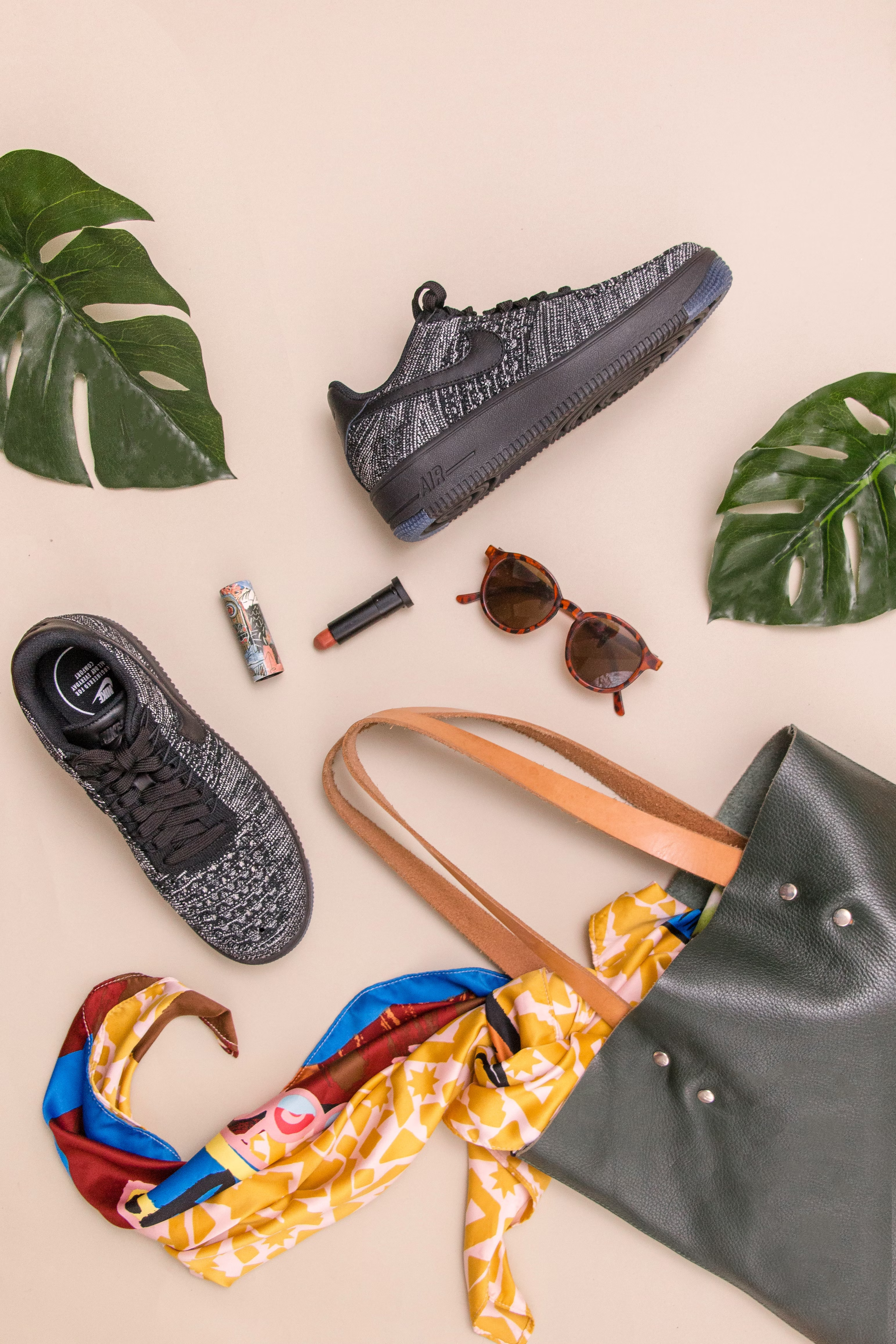
        alt="A picture of a pink background with varios items laid out. Shoes, lipstick, sunglasses, some leafs and part of a purse."
        className="w-full rounded-[8px] object-cover"
        height="180"
        src="/static/outdoor-living.jpg"
      />
      <Text className="font-semibold text-[16px] text-indigo-600 leading-[24px]">
        What's new
      </Text>
      <Text className="m-0 font-semibold text-[20px] text-gray-900 leading-[28px]">
        Multifunctional Marvels
      </Text>
      <Text className="mt-[8px] mb-0 text-[16px] text-gray-500 leading-[24px]">
        Discover the innovative world of multifunctional furniture, where
        style meets practicality, offering creative solutions for maximizing
        space and enhancing functionality in your home
      </Text>
    </Column>
    <Column
      className="box-border w-[50%] pl-[8px] align-baseline"
      colSpan={1}
    >
      <Img
        alt="A picture of a pink background with varios items laid out. Shoes, lipstick, sunglasses, some leafs and part of a purse."
        className="w-full rounded-[8px] object-cover"
        height="180"
        src="/static/outdoor-living.jpg"
      />
      <Text className="font-semibold text-[16px] text-indigo-600 leading-[24px]">
        What's new
      </Text>
      <Text className="m-0 font-semibold text-[20px] text-gray-900 leading-[28px]">
        Timeless Classics
      </Text>
      <Text className="mt-[8px] mb-0 text-[16px] text-gray-500 leading-[24px]">
        Step into the world of timeless classics as we explore iconic
        furniture pieces that have stood the test of time, adding enduring
        elegance and sophistication to any interior
      </Text>
    </Column>
  </Row>
</Section>
```

### Inline styles

```tsx
<Section
  style={{
    marginTop: 16,
    marginBottom: 16,
  }}
>
  <Row>
    <Text
      style={{
        margin: '0px',
        fontSize: 20,
        lineHeight: '28px',
        fontWeight: 600,
        color: 'rgb(17,24,39)',
      }}
    >
      Elevate Outdoor Living
    </Text>
    <Text
      style={{
        marginTop: 8,
        fontSize: 16,
        lineHeight: '24px',
        color: 'rgb(107,114,128)',
      }}
    >
      Take your outdoor space to new heights with our premium outdoor
      furniture, designed to elevate your alfresco experience.
    </Text>
  </Row>
  <Row
    style={{
      marginTop: 16,
    }}
  >
    <Column
      colSpan={1}
      style={{
        width: '50%',
        verticalAlign: 'baseline',
        paddingRight: 8,
        boxSizing: 'border-box',
      }}
    >
      <Img
        alt="A picture of a pink background with varios items laid out. Shoes, lipstick, sunglasses, some leafs and part of a purse."
        height="180"
        src="/static/outdoor-living.jpg"
        style={{
          width: '100%',
          borderRadius: 8,
          objectFit: 'cover',
        }}
      />
      <Text
        style={{
          fontSize: 16,
          lineHeight: '24px',
          fontWeight: 600,
          color: 'rgb(79,70,229)',
        }}
      >
        What's new
      </Text>
      <Text
        style={{
          margin: '0px',
          fontSize: 20,
          lineHeight: '28px',
          fontWeight: 600,
          color: 'rgb(17,24,39)',
        }}
      >
        Multifunctional Marvels
      </Text>
      <Text
        style={{
          marginBottom: '0px',
          marginTop: 8,
          fontSize: 16,
          lineHeight: '24px',
          color: 'rgb(107,114,128)',
        }}
      >
        Discover the innovative world of multifunctional furniture, where
        style meets practicality, offering creative solutions for maximizing
        space and enhancing functionality in your home
      </Text>
    </Column>
    <Column
      colSpan={1}
      style={{
        width: '50%',
        verticalAlign: 'baseline',
        paddingLeft: 8,
        boxSizing: 'border-box',
      }}
    >
      <Img
        alt="A picture of a pink background with varios items laid out. Shoes, lipstick, sunglasses, some leafs and part of a purse."
        height="180"
        src="/static/outdoor-living.jpg"
        style={{
          width: '100%',
          borderRadius: 8,
          objectFit: 'cover',
        }}
      />
      <Text
        style={{
          fontSize: 16,
          lineHeight: '24px',
          fontWeight: 600,
          color: 'rgb(79,70,229)',
        }}
      >
        What's new
      </Text>
      <Text
        style={{
          margin: '0px',
          fontSize: 20,
          lineHeight: '28px',
          fontWeight: 600,
          color: 'rgb(17,24,39)',
        }}
      >
        Timeless Classics
      </Text>
      <Text
        style={{
          marginBottom: '0px',
          marginTop: 8,
          fontSize: 16,
          lineHeight: '24px',
          color: 'rgb(107,114,128)',
        }}
      >
        Step into the world of timeless classics as we explore iconic
        furniture pieces that have stood the test of time, adding enduring
        elegance and sophistication to any interior
      </Text>
    </Column>
  </Row>
</Section>
```

## Article with single author

Source: https://github.com/resend/react-email/tree/canary/apps/web/components/article-with-single-author

### Tailwind

```tsx
<Section>
  <Hr className="!border-gray-300 my-[16px]" />
  <Row width={undefined}>
    <Column
      width="48"
      height="48"
      className="pt-[5px] h-[48px] w-[48px]"
      align="left"
    >
      <Img
        alt="Steve Jobs"
        className="block h-[48px] w-[48px] rounded-full object-cover object-center"
        height="48"
        src="https://react.email/static/steve-jobs.jpg"
        width="48"
      />
    </Column>
    <Column
      width="120"
      className="pl-[18px] w-[120px]"
      align="left"
      valign="top"
    >
      <Heading
        as="h3"
        className="m-[0px] font-medium text-[14px] text-gray-800 leading-[20px]"
      >
        Steve Jobs
      </Heading>
      <Text className="m-[0px] font-medium text-[12px] text-gray-500 leading-[14px]">
        Co-Founder & CEO
      </Text>
      <Row width={undefined} className="mt-[4px]" align={undefined}>
        <Column width={undefined} valign="middle">
          <Link className="h-[12px] w-[12px]" href="#">
            <Img
              alt="X"
              src="https://react.email/static/x-icon.png"
              width="12"
              height="12"
              style={{ height: '12px', width: '12px' }}
            />
          </Link>
        </Column>
        <Column width={undefined} className="pl-[8px]" valign="middle">
          <Link className="h-[12px] w-[12px]" href="#">
            <Img
              alt="LinkedIn"
              src="https://react.email/static/in-icon.png"
              width="12"
              height="12"
              style={{ height: '12px', width: '12px' }}
            />
          </Link>
        </Column>
      </Row>
    </Column>
  </Row>
</Section>
```

### Inline styles

```tsx
<Section>
  <Hr
    style={{
      borderColor: 'rgb(209,213,219) !important',
      marginTop: '16px',
      marginBottom: '16px',
    }}
  />
  <Row width={undefined}>
    <Column
      width="48"
      height="48"
      style={{
        display: 'inline-block',
        paddingTop: '5px',
        height: '48px',
        width: '48px',
      }}
    >
      <Img
        alt="Steve Jobs"
        height={48}
        src="/static/steve-jobs.jpg"
        style={{
          borderRadius: '9999px',
          display: 'block',
          height: '48px',
          objectFit: 'cover',
          objectPosition: 'center',
          width: '48px',
        }}
        width={48}
      />
    </Column>
    <Column
      width="120"
      style={{
        paddingLeft: '18px',
        maxWidth: '120px',
      }}
      align="left"
      valign="top"
    >
      <Heading
        as="h3"
        style={{
          color: 'rgb(31,41,55)',
          fontSize: '14px',
          fontWeight: 500,
          lineHeight: '20px',
          margin: '0px',
        }}
      >
        Steve Jobs
      </Heading>
      <Text
        style={{
          color: 'rgb(107,114,128)',
          fontSize: '12px',
          fontWeight: 500,
          lineHeight: '14px',
          margin: '0px',
        }}
      >
        Co-Founder & CEO
      </Text>
      <Row
        align={undefined}
        width={undefined}
        style={{
          marginTop: '4px',
        }}
      >
        <Column width={undefined} valign="middle">
          <Link
            href="#"
            style={{
              height: '12px',
              width: '12px',
            }}
          >
            <Img
              alt="X"
              src="/static/x-icon.png"
              width="12"
              height="12"
              style={{ height: '12px', width: '12px' }}
            />
          </Link>
        </Column>
        <Column
          width={undefined}
          valign="middle"
          style={{
            paddingLeft: '8px',
          }}
        >
          <Link
            href="#"
            style={{
              height: '12px',
              width: '12px',
            }}
          >
            <Img
              alt="LinkedIn"
              src="/static/in-icon.png"
              width="12"
              height="12"
              style={{ height: '12px', width: '12px' }}
            />
          </Link>
        </Column>
      </Row>
    </Column>
  </Row>
</Section>
```

## Article with multiple authors

Source: https://github.com/resend/react-email/tree/canary/apps/web/components/article-with-multiple-authors

### Tailwind

```tsx
<Section>
  <Hr className="!border-gray-300 mt-[16px] mb-[0px]" />
  {[
    {
      name: 'Steve Jobs',
      title: 'Co-Founder & CEO',
      imgSrc: '/static/steve-jobs.jpg',
      showDivider: true,
    },
    {
      name: 'Steve Wozniak',
      title: 'Co-Founder & CTO',
      imgSrc: '/static/steve-wozniak.jpg',
      showDivider: false,
    },
  ].map((author) => (
    <Fragment key={author.name}>
      <Row align="left" width="288" className="pt-[16px] w-[288px]">
        <Column
          width="48"
          height="48"
          align="left"
          className="pt-[5px] h-[48px] w-[48px]"
        >
          <Img
            alt={author.name}
            className="block rounded-full object-cover object-center"
            height={48}
            src={author.imgSrc}
            width={48}
          />
        </Column>
        <Column
          width="100%"
          className="pl-[18px] w-full"
          align="left"
          valign="top"
        >
          <Heading
            as="h3"
            className="m-0 font-medium text-[14px] text-gray-900 leading-[20px]"
          >
            {author.name}
          </Heading>
          <Text className="m-0 font-medium text-[12px] text-gray-500 leading-[14px]">
            {author.title}
          </Text>
          <Row width={undefined} className="pt-[8px]" align="left">
            <Column width="12" height="12">
              <Link className="h-[12px] w-[12px]" href="#">
                <Img
                  alt="X"
                  height={12}
                  src="/static/x-icon.png"
                  width={12}
                />
              </Link>
            </Column>
            <Column className="pl-[8px]" width="12" height="12">
              <Link className="h-[12px] w-[12px]" href="#">
                <Img
                  alt="LinkedIn"
                  height={12}
                  src="/static/in-icon.png"
                  width={12}
                />
              </Link>
            </Column>
          </Row>
        </Column>
      </Row>
      {author.showDivider ? (
        <Hr
          className="mr-[16px] inline-block h-[58px] w-[1px] bg-gray-300 [border:none]"
          style={{ float: 'left' }}
        />
      ) : null}
    </Fragment>
  ))}
</Section>
```

### Inline styles

```tsx
<Section>
  <Hr
    style={{
      borderColor: 'rgb(209,213,219) !important',
      marginTop: '16px',
      marginBottom: '0px',
    }}
  />
  <Section>
    {[
      {
        name: 'Steve Jobs',
        title: 'Co-Founder & CEO',
        imgSrc: '/static/steve-jobs.jpg',
        showDivider: true,
      },
      {
        name: 'Steve Wozniak',
        title: 'Co-Founder & CTO',
        imgSrc: '/static/steve-wozniak.jpg',
        showDivider: false,
      },
    ].map((author) => (
      <Fragment key={author.name}>
        <Row
          align="left"
          width="288"
          style={{ marginTop: '16px', width: '288px' }}
        >
          <Column
            width="48"
            height="48"
            style={{
              paddingTop: '5px',
              height: '48px',
              width: '48px',
              textAlign: 'left',
            }}
          >
            <Img
              alt={author.name}
              height={48}
              src={author.imgSrc}
              style={{
                borderRadius: '9999px',
                display: 'block',
                objectFit: 'cover',
                objectPosition: 'center',
              }}
              width={48}
            />
          </Column>
          <Column
            width="100%"
            style={{
              paddingLeft: '18px',
              width: '100%',
              textAlign: 'left',
              verticalAlign: 'top',
            }}
          >
            <Heading
              as="h3"
              style={{
                color: 'rgb(17,24,39)',
                fontSize: '14px',
                fontWeight: 500,
                lineHeight: '20px',
                margin: '0px',
              }}
            >
              {author.name}
            </Heading>
            <Text
              style={{
                color: 'rgb(107,114,128)',
                fontSize: '12px',
                fontWeight: 500,
                lineHeight: '14px',
                margin: '0px',
              }}
            >
              {author.title}
            </Text>
            <Row width={undefined} style={{ paddingTop: '8px' }} align="left">
              <Column width="12" height="12">
                <Link
                  href="#"
                  style={{
                    height: '12px',
                    width: '12px',
                  }}
                >
                  <Img
                    alt="X"
                    height={12}
                    src="/static/x-icon.png"
                    width={12}
                  />
                </Link>
              </Column>
              <Column width="12" height="12" style={{ paddingLeft: 8 }}>
                <Link
                  href="#"
                  style={{
                    height: '12px',
                    width: '12px',
                  }}
                >
                  <Img
                    alt="LinkedIn"
                    height={12}
                    src="/static/in-icon.png"
                    width={12}
                  />
                </Link>
              </Column>
            </Row>
          </Column>
        </Row>
        {author.showDivider ? (
          <Hr
            style={{
              border: 'none',
              backgroundColor: 'rgb(209,213,219)',
              display: 'inline-block',
              float: 'left',
              height: '58px',
              marginRight: '16px',
              width: '1px',
            }}
          />
        ) : null}
      </Fragment>
    ))}
  </Section>
</Section>
```